
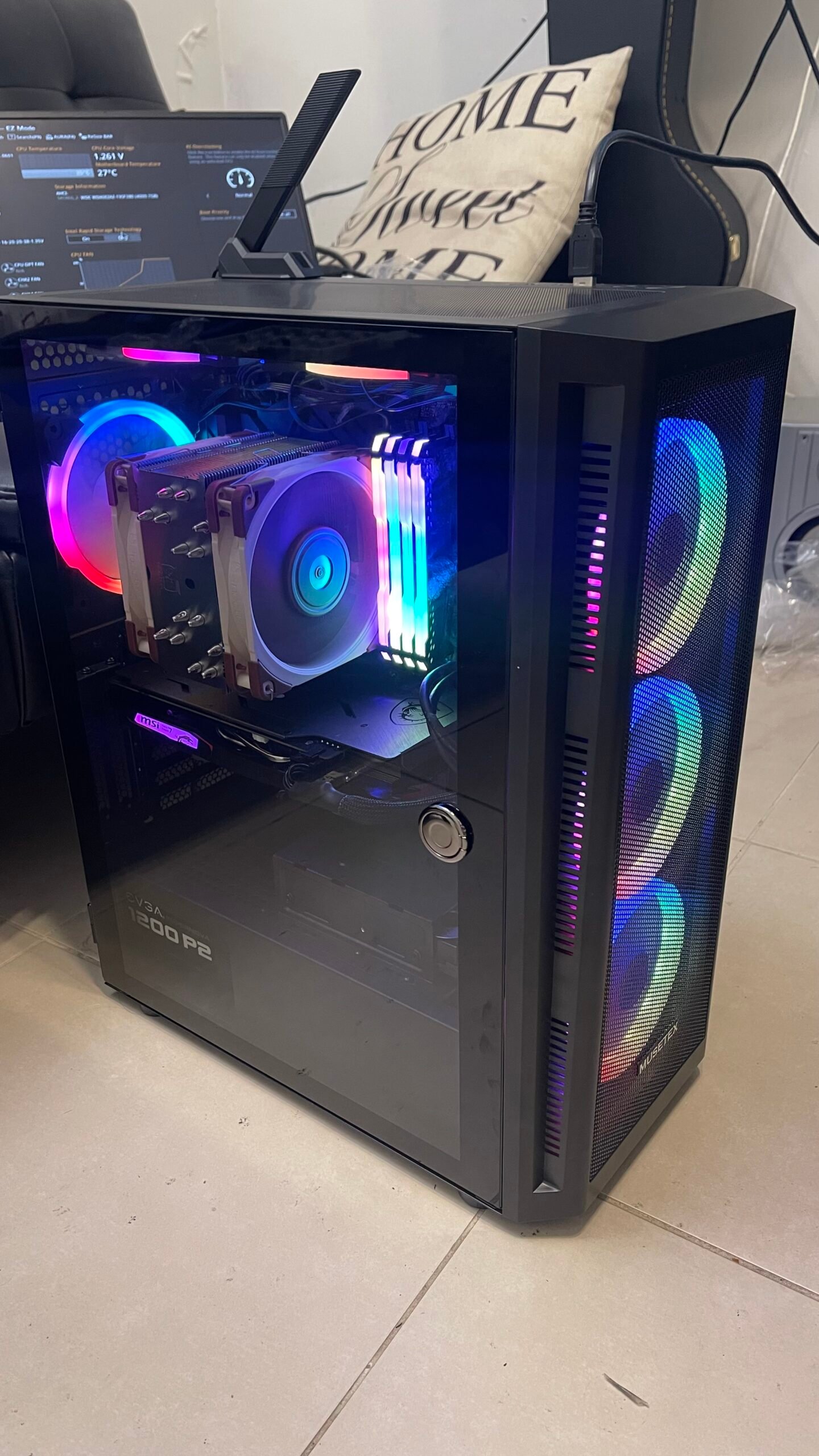
The lighting is the first thing you notice in this desktop computer. Look past it and the photograph tells a more useful story: a computer is a collection of components that need to fit, connect and work together.
What the photograph shows
This assembled computer from our field-work portfolio has visible case fans, an internal processor cooler, memory modules and an expansion card. The side panel offers a clear view of how these parts sit together inside the case.
The build brings several familiar parts into a single enclosure. Lighting makes those parts easy to see, while the physical arrangement leaves space around the cooler and case fans. It is a useful view of the hardware behind an everyday computer.
Start with the task, then the upgrade
A useful repair or upgrade starts with a question: what is the computer struggling to do? A machine used for office applications has different priorities from one used for demanding graphics work. A fault also needs diagnosis before parts are replaced.
Storage, memory, cooling, compatibility and the condition of the existing hardware all belong in that discussion. The most visible part of a build is not always the part that needs attention.
CypressPort helps with computer repair and hardware upgrades, as well as workstation and peripheral setup in Southwest Florida.
Have a desktop or laptop that needs attention? Describe the symptoms and how you use it. We can discuss the next steps in English or Spanish.